MSAA Filter Component
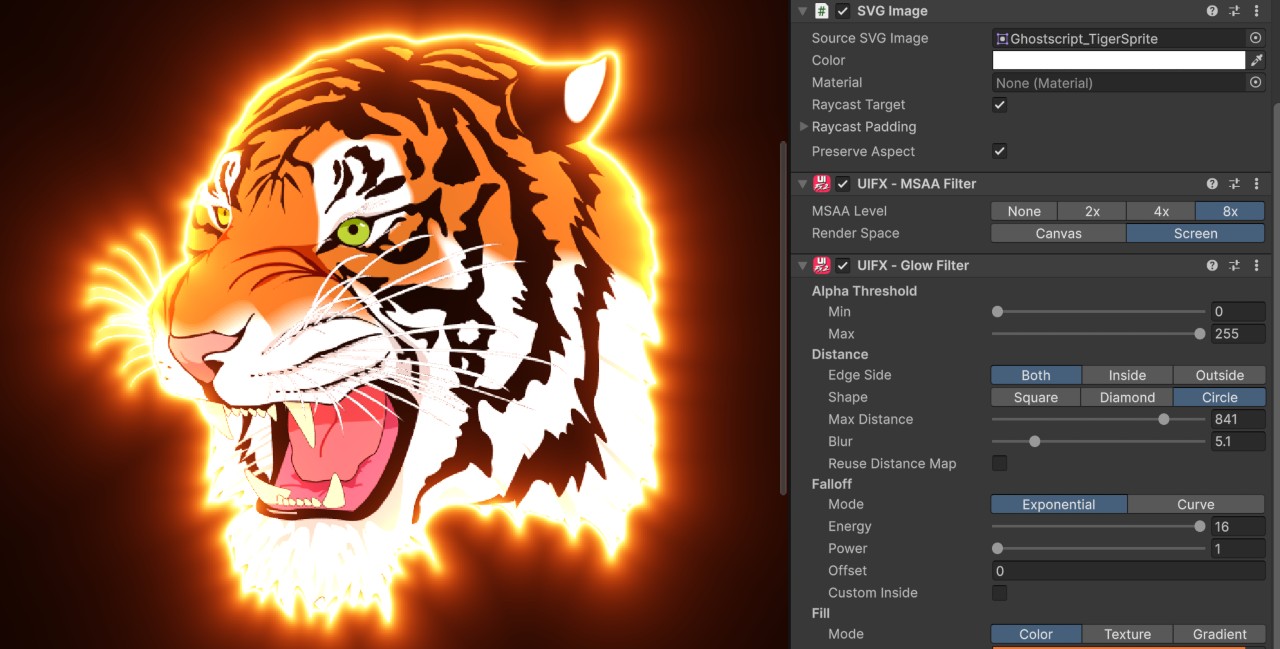
Overview
This component enables UGUI Graphic components that feature geometry that can benefit from anti-aliasing to be rendered using MSAA (multisample anti-aliasing). This can allow per-components usage of MSAA rather than enabling it for the entire project. The SVGImage component that is included in the com.unity.vectorgraphics package can benefit from this component when applying other UIFX filters. Most UGUI components do not benefit from MSAA as they don't have complex geometry and instead mostly use textures, so this component has a niche use-case.
Properties

| Property | Type | Details |
|---|---|---|
| MSAA Level | Enum | Anti-aliasing level, Options are: • None - No anti-aliasing.• 2x 2x MSAA.• 4x 4x MSAA.• 8x 8x MSAA. |
| Render Space | Enum | Which coordinate system use when rendering this filter. Options are: • Canvas: Render the filter before any transforms (scale/rotation/translation etc) are applied.• Screen: Render the filter after transforms have been applied.Read more about this property here. |
Usage with SVGImage
Add this component to any GameObject that contains a UI SVGImage component and then you can control the anti-aliasing. Normally when SVGImage is assigned a Vector Sprite to get it to render with anti-aliasing you have to make sure that the Canvas Render Mode is set not set to Screen-Space Overlay and you have to make sure MSAA is enabled in Quality Settings. With this component your project doesn't even have to have MSAA enabled, and the Canvas Render Mode doesn't matter.